Blog · November 7, 2026
How to clip every FC 27 goal from a Twitch VOD (5 steps)
Paste your Twitch VOD link, pick goals scored or conceded, and every EA FC 27 goal comes back as a clip, match by match. Real run: 18 goals from a 2 h 28 VOD.
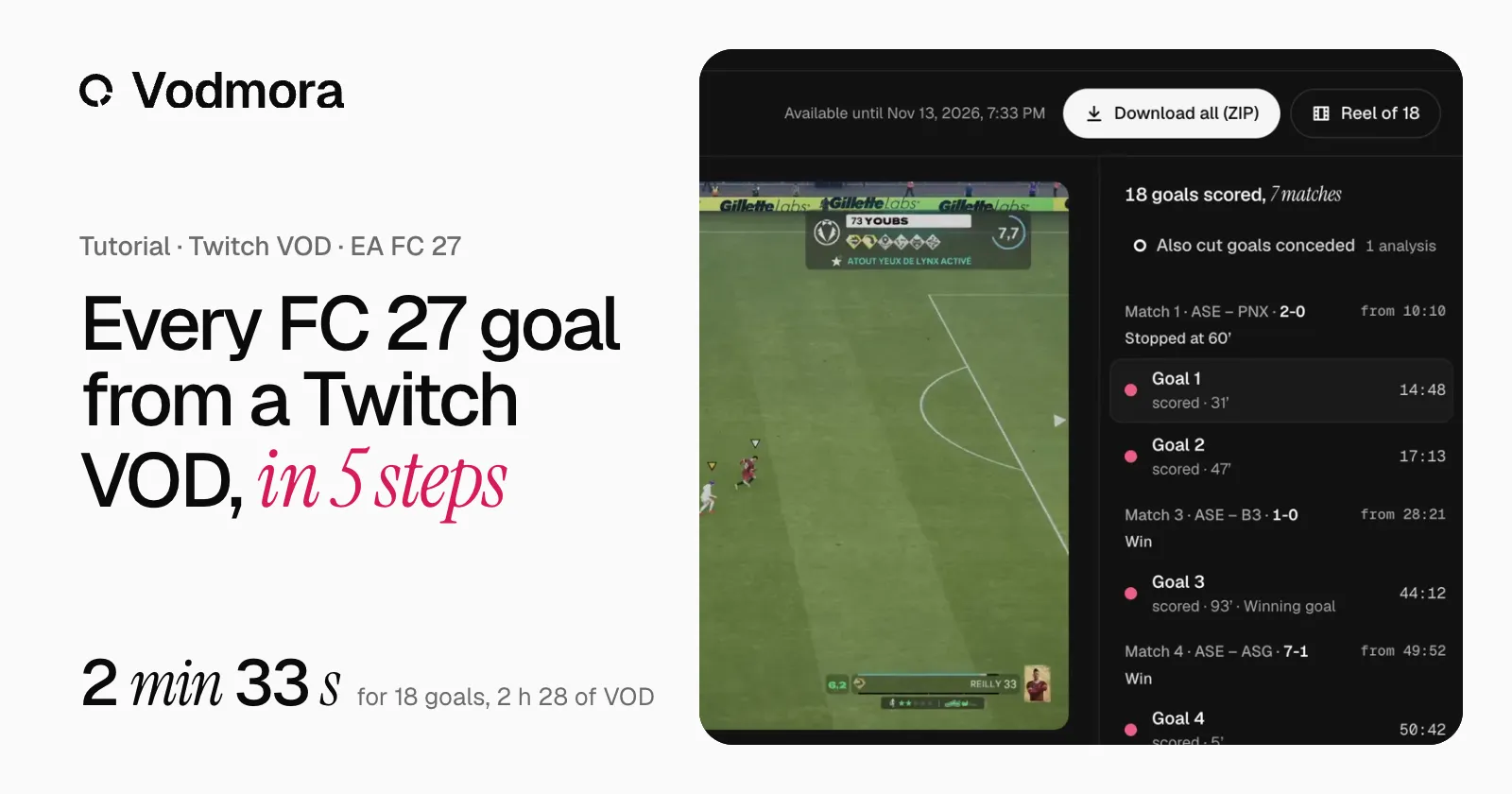
To clip every EA FC 27 goal from a Twitch VOD, paste the VOD link into Vodmora, pick goals scored, goals conceded or both, then hold Create my clips for three seconds. Each goal comes back as its own clip, grouped by match with its minute and the match result. On a 2 h 28 Pro Clubs VOD by Youbs_, the 18 clips were ready 2 min 33 s after the start (measured on 6 November 2026).
Here are the five steps, with the screens of that real analysis. The same run is also a 1 min 44 video on YouTube.
What you need
- The link of the VOD, which looks like twitch.tv/videos/…. A clip link is not enough: Vodmora starts from the whole replay, so a goal nobody clipped during the stream is found too.
- A finished, public VOD: not still live, not subscriber-only. Twitch keeps past broadcasts for 7 days on most channels, 14 days for Affiliates and 60 days for Partners, Turbo and Prime users, and only if past broadcasts are switched on in your stream settings (Twitch Help). Analyse the VOD before Twitch deletes it.
- The score on screen: keep the EA FC 27 scoreboard visible, not hidden under a stream overlay.
- A free account: the Free plan gives 3 analyses a month, with no card.
Step 1: Create a free account
Go to vodmora.com and create an account. No card is asked. Every EA FC 27 mode works the same way, from Pro Clubs to Ultimate Team, Kick Off, Seasons and Career.
Step 2: Paste your Twitch VOD link
Open Extracteur, choose the Link tab and paste the link of the VOD. With the Twitch tab, you can instead connect your Twitch account and pick a VOD from your channel or from a channel you follow.
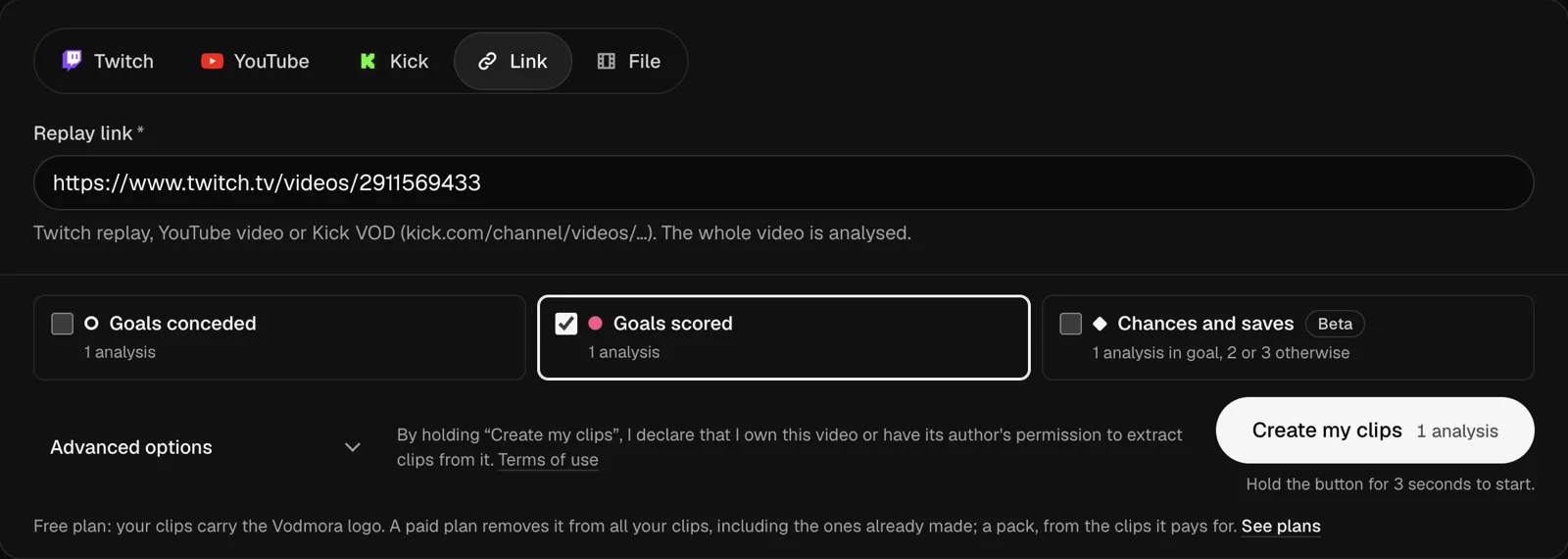
The same form takes Kick VODs, YouTube videos and video files (MP4, MOV, MKV, WebM or M4V), so the steps below are the same for every source.
Step 3: Pick your goals, then hold the button
Tick the goals you want:
- Goals scored, for your highlights or a FUT Champions weekend;
- Goals conceded, ticked by default, to review every goal conceded in Pro Clubs;
- or both. Each side costs one analysis, both cost two.
Then hold Create my clips for three seconds. Holding it declares that the video is yours or that its author allows you to use it.
Advanced options set the clip length (11, 20, 25 or 30 seconds, or Custom: up to 120 seconds before and after the goal, three minutes in total), keep the sound of the VOD, and take your club abbreviation, only needed if Vodmora does not recognise your team.
Step 4: Watch and download the clips
Clips appear as soon as they are ready: you can watch the first ones while the rest is being cut. The result groups the goals by match, with the score and the result of each match, then for each goal its minute in the game and its moment in the VOD.
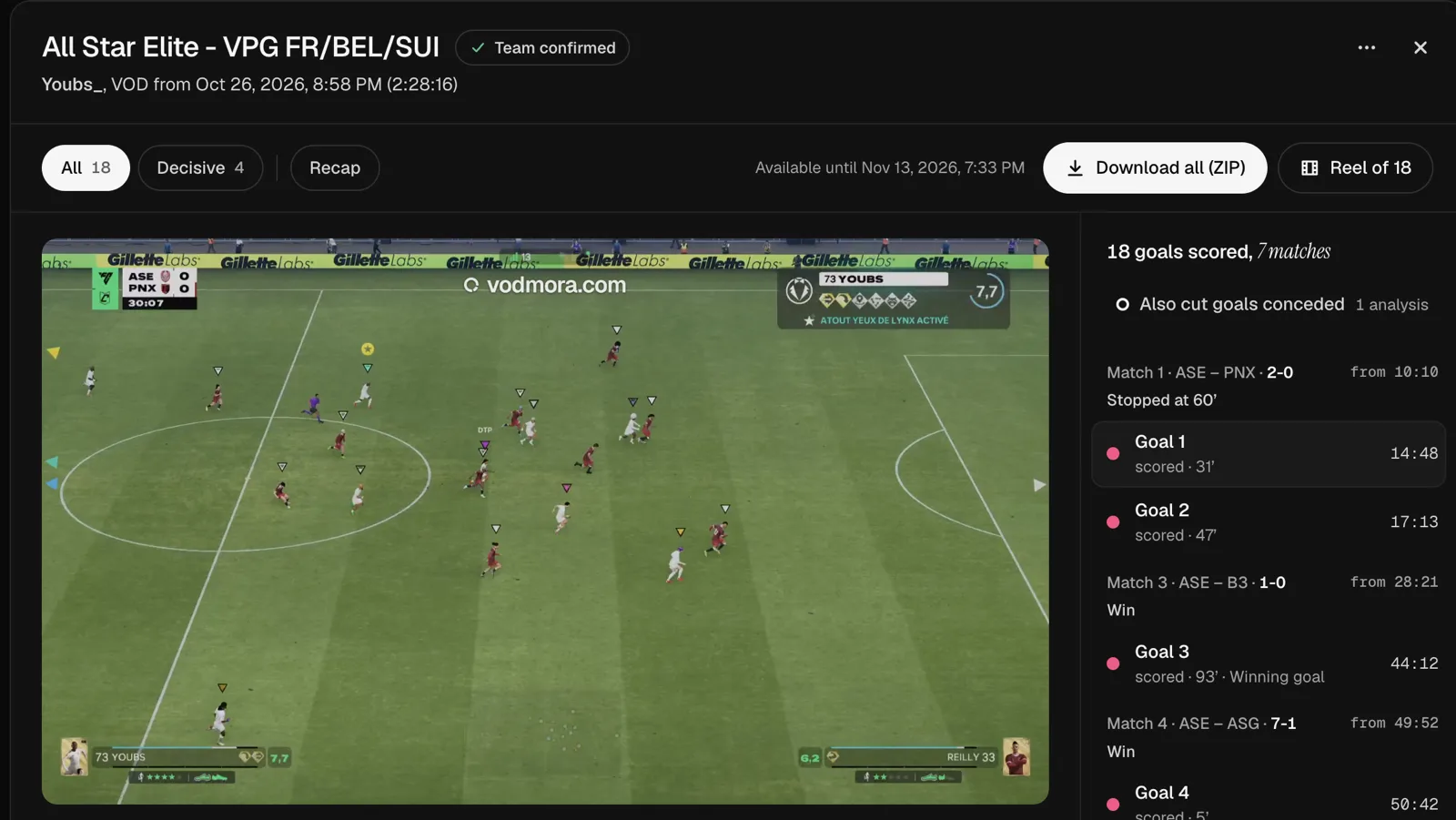
- Download saves one clip as an MP4, and Download all (ZIP) saves every clip at once.
- Decisive keeps the goals that weigh on a result: the one that settled a match, or a late equaliser.
- Recap sums up the night match by match.
- Also cut goals conceded cuts the other side of the same VOD. The VOD is already analysed, so the clips come back in a few seconds.
If the VOD leaves a doubt about which club is yours, Vodmora still picks the most likely one and shows it on the result. You can switch to another club in one click, without a new analysis.
Clips stay available for 7 days after the analysis. On the Free plan, they carry the vodmora.com logo; a paid plan removes it.
Step 5: Make TikTok, Shorts or Reels clips in 9:16
The Reel of 18 button opens the Reels page with every goal. Pick 9:16 in Format: the frame follows the ball, which stayed in frame 97% of the time on our 28 test clips. Export one video with the goals end to end, or one file per clip.
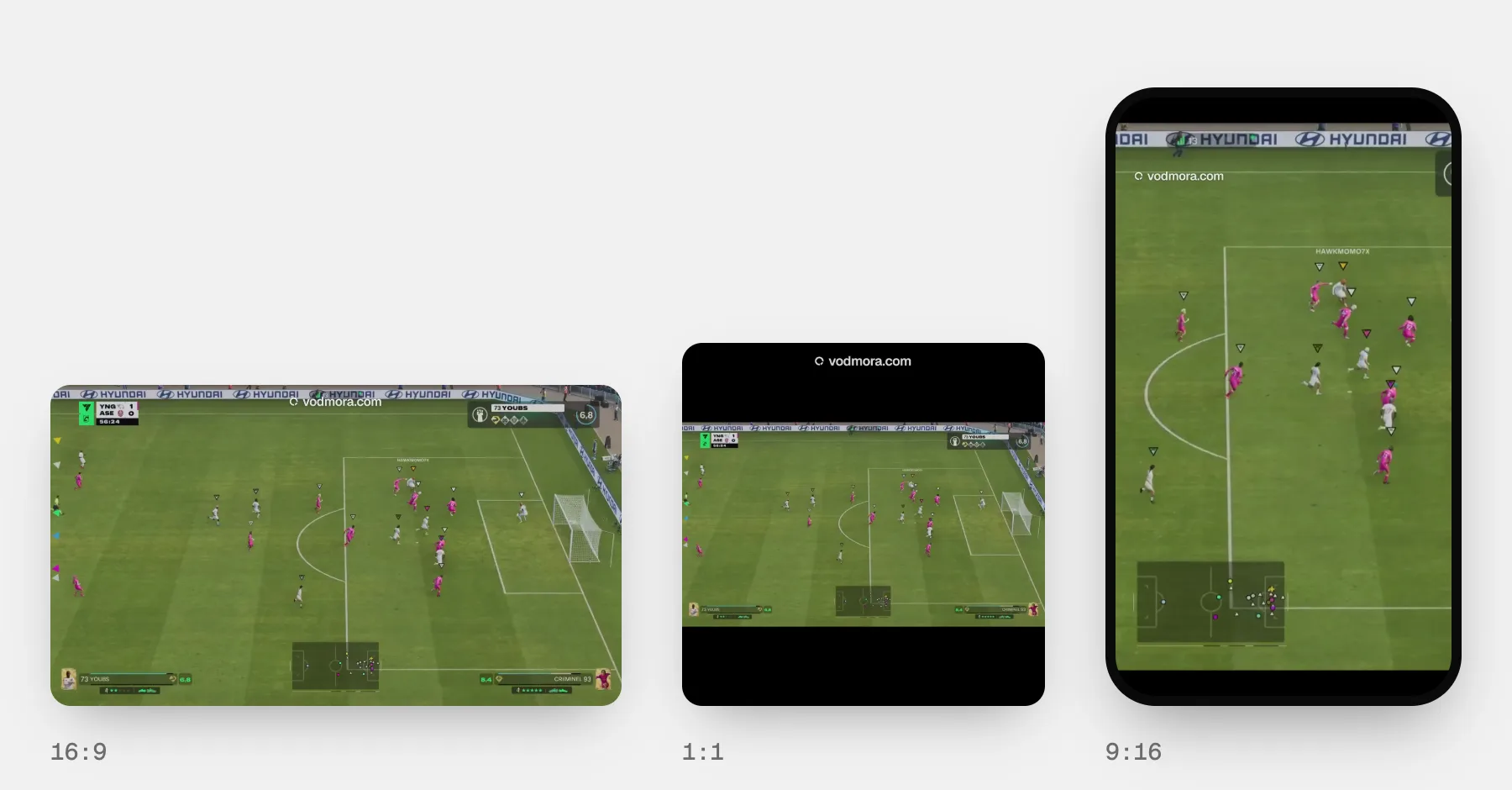
Posting to each platform, the lengths and the sound are covered in our guide to vertical clips.
How long it takes
Measured in production on 6 November 2026, one Twitch VOD at a time, with no cache:
- Pro Clubs, 2 h 28, 18 goals: every clip ready in 2 min 33 s;
- Pro Clubs, 2 h 14, 18 goals: 1 min 35 s;
- FUT Champions, 3 h 24, 52 goals: 1 min 28 s;
- Rivals, 2 h 03, 24 goals: 3 min 46 s.
What the VOD holds matters more than its length. Every run, including a YouTube VOD, is on the measured speed page.
Common questions
Can I paste a Twitch clip link?
No. A clip holds a few seconds chosen by hand. Paste the link of the whole VOD (twitch.tv/videos/…): Vodmora finds every goal in it.
The VOD is no longer on Twitch. What can I do?
If you recorded the stream or the match, upload the file in the File tab. Otherwise, Vodmora cannot get the video back: next time, run the analysis while Twitch still keeps the VOD, then download the clips you want to keep.
The analysis stopped on “No readable score”
Check that the video is an EA FC 27 match with the scoreboard visible on screen. That attempt is not deducted from your monthly analyses.
Does it work with Kick and YouTube?
Yes, with the same five steps: paste a Kick VOD or a YouTube video link, or pick it from your linked account.
Is it free?
The Free plan gives 3 analyses a month, with no card. Creator (30 analyses a month) and Pro (70) remove the logo; prices are on the pricing page.
Create a free account and cut the goals of your last stream.
Read next
- EA FC 27 highlights: in-game replay or stream VOD?
Instant replay, in-game highlights, console capture or stream VOD: where to find your EA FC 27 goals after the match, and how to keep them as clips.
- How to clip on PS5 and Xbox: your EA FC 27 goals
Clip your EA FC 27 goals on PS5 or Xbox Series: the buttons, the lengths, getting clips to your phone. And for a whole night, start from the VOD.
- FUT Champions: every goal of your weekend as clips
A FUT Champions weekend means fifteen matches or more. Vodmora finds every goal in the VOD, groups it by match and cuts it into a clip ready to post.